Web Usage Quick Start
This guide will walk you through the basic steps to get started with MOASIS.
Start A New Chat
After logging in, you can start a new chat by clicking the "New Chat" button on the left sidebar. This will open a new chat window where you can input your prompts and interact with MOASIS.
Input your desired prompts in the text box and click the "Send" button to generate human motions based on your input.
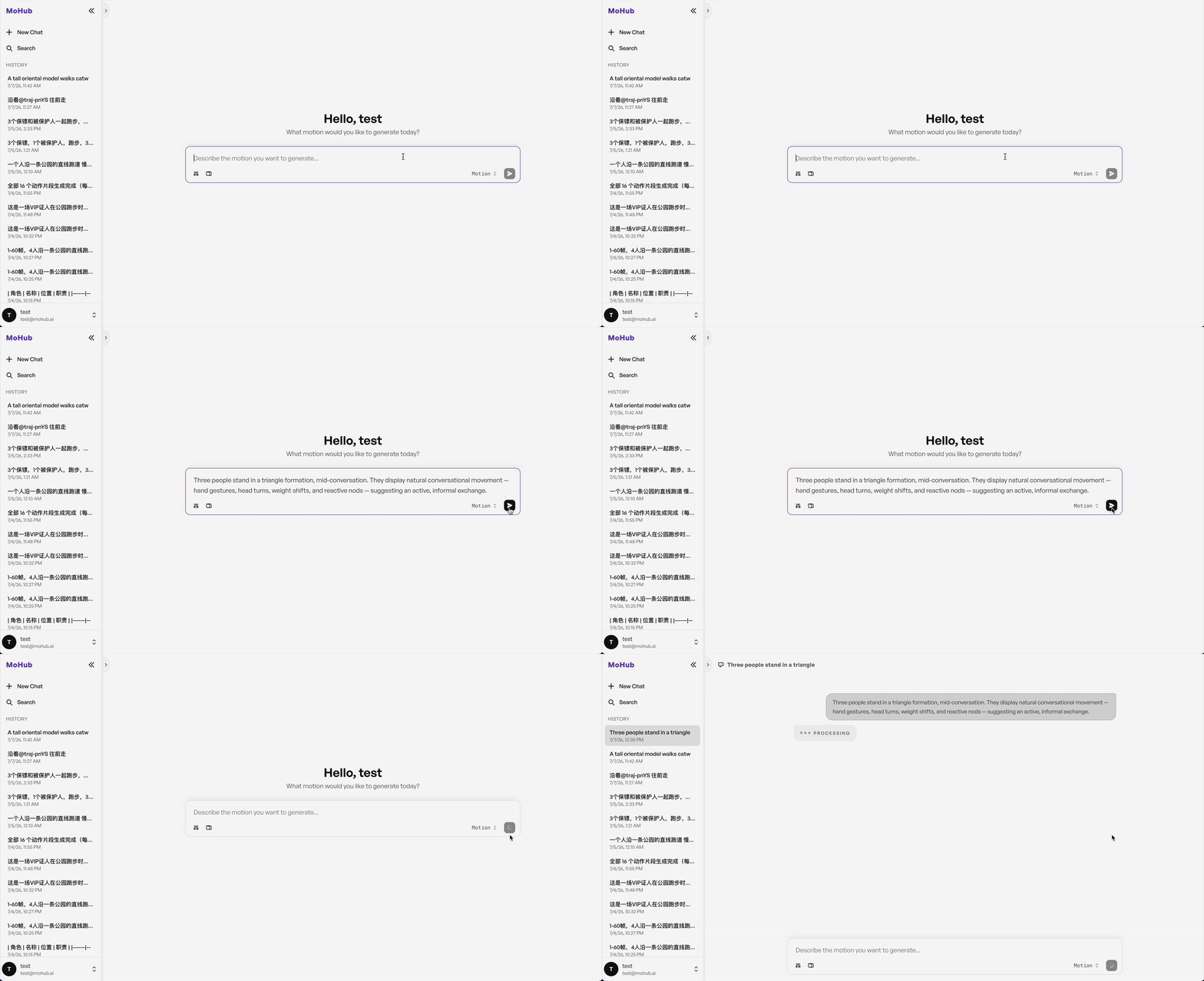
After sending your prompt, MOASIS will process the input and generate a motion sequence. You can view the generated motion by clicking the generated motion card in the chat window. This will open a 3D viewer where you can see the motion in action.
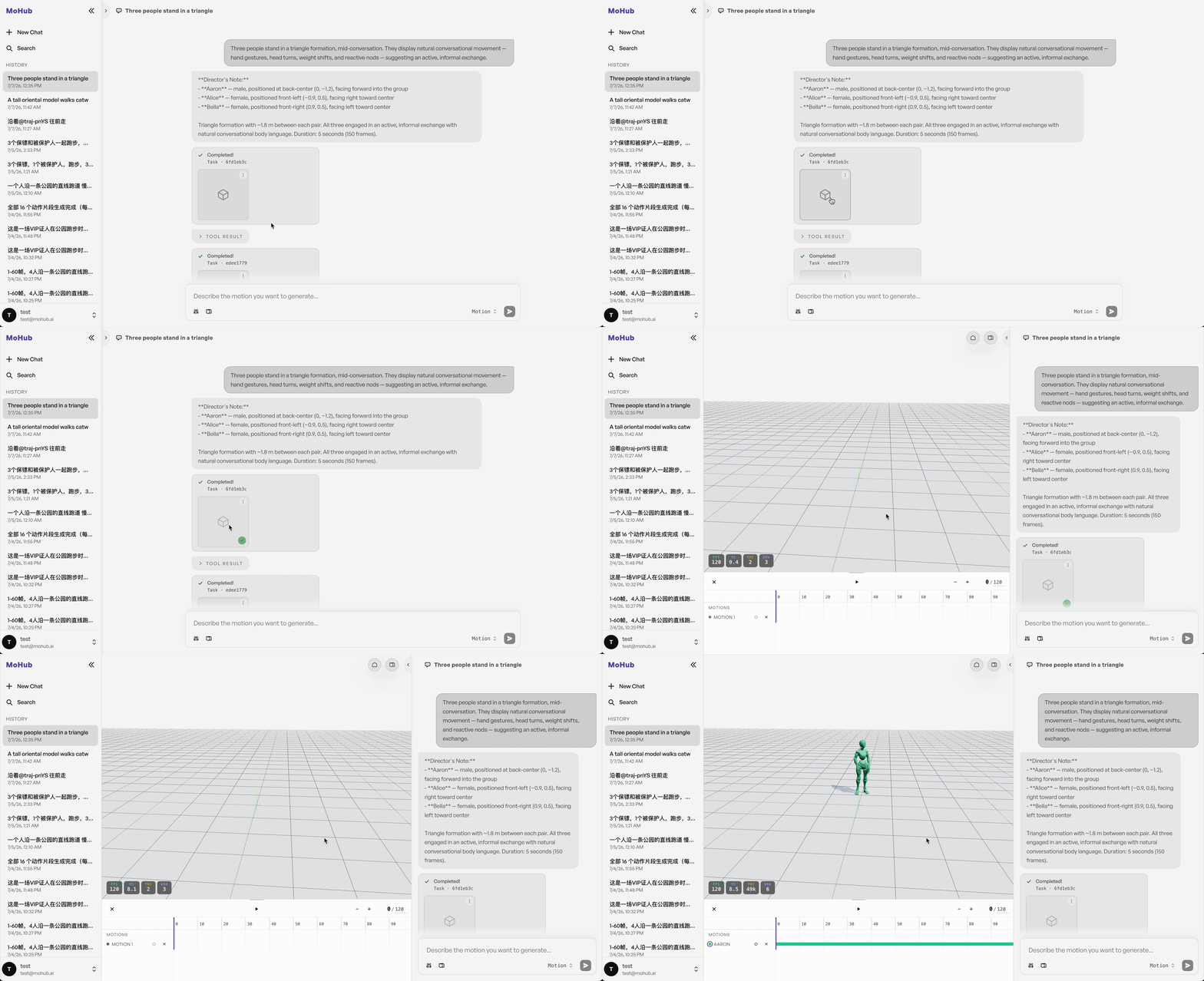
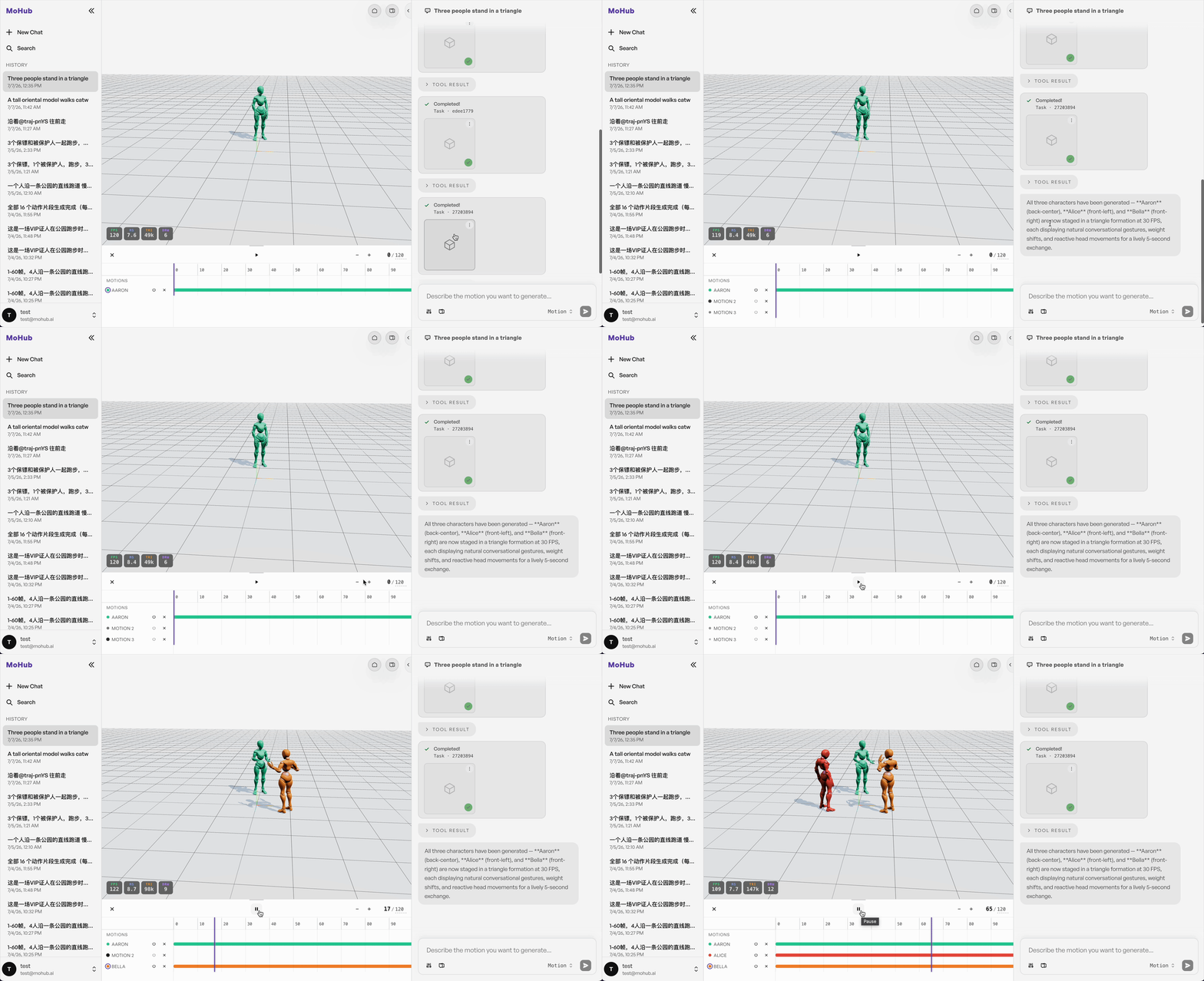
You can open multiple generated motions in the 3D viewer at the same time to compose or compare different motions.
Try Following Example Prompts
"A tall oriental model walks catwalk straight forward gracefully, reaches the end of runway, slowly rotates 180 degrees with fluttering skirt, then walks back along the runway, all body movements smooth and natural."
"Three people stand in a triangle formation, mid-conversation. They display natural conversational movement — hand gestures, head turns, weight shifts, and reactive nods — suggesting an active, informal exchange."
"A tall oriental model walks catwalk straight forward gracefully, reaches the end of runway, slowly rotates 180 degrees with fluttering skirt, then walks back along the runway, all body movements smooth and natural, slow steady camera push-in, the camera glides forward gently while keeping the full body of the model in frame the entire time."