网页使用快速开始
本指南将引导您完成 MOASIS 的基本入门步骤。
开始新对话
登录后,您可以点击左侧边栏的“新建对话”按钮来开始新对话。这将打开一个新的对话窗口,您可以在其中输入提示词并与 MOASIS 进行交互。
在文本框中输入您的提示词,然后点击“发送”按钮,即可根据您的输入生成人体动作。
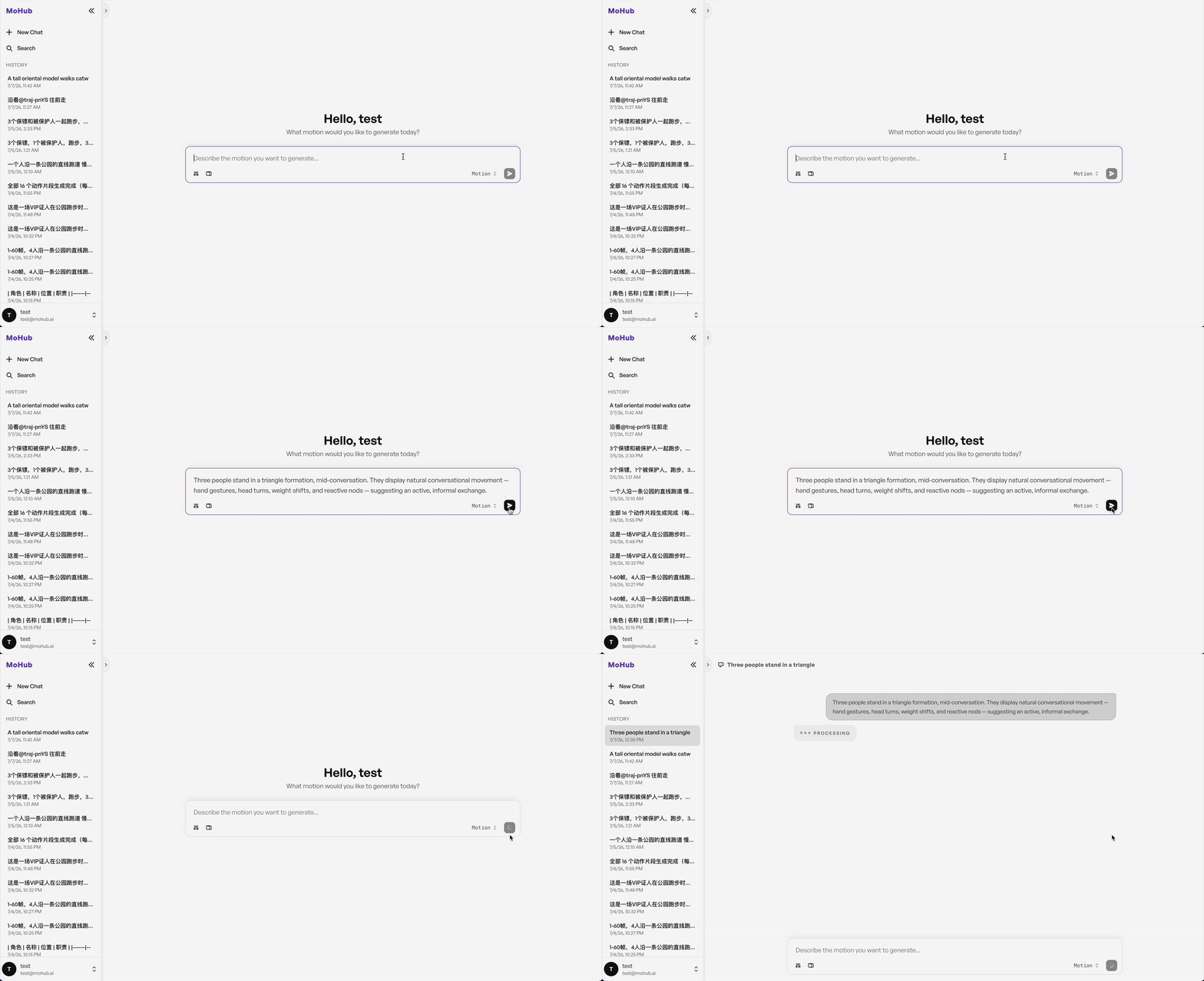
发送提示词后,MOASIS 将处理输入并生成动作序列。您可以点击对话窗口中生成的动作卡片来查看生成的动作,这将打开一个 3D 查看器,您可以在其中看到动作效果。
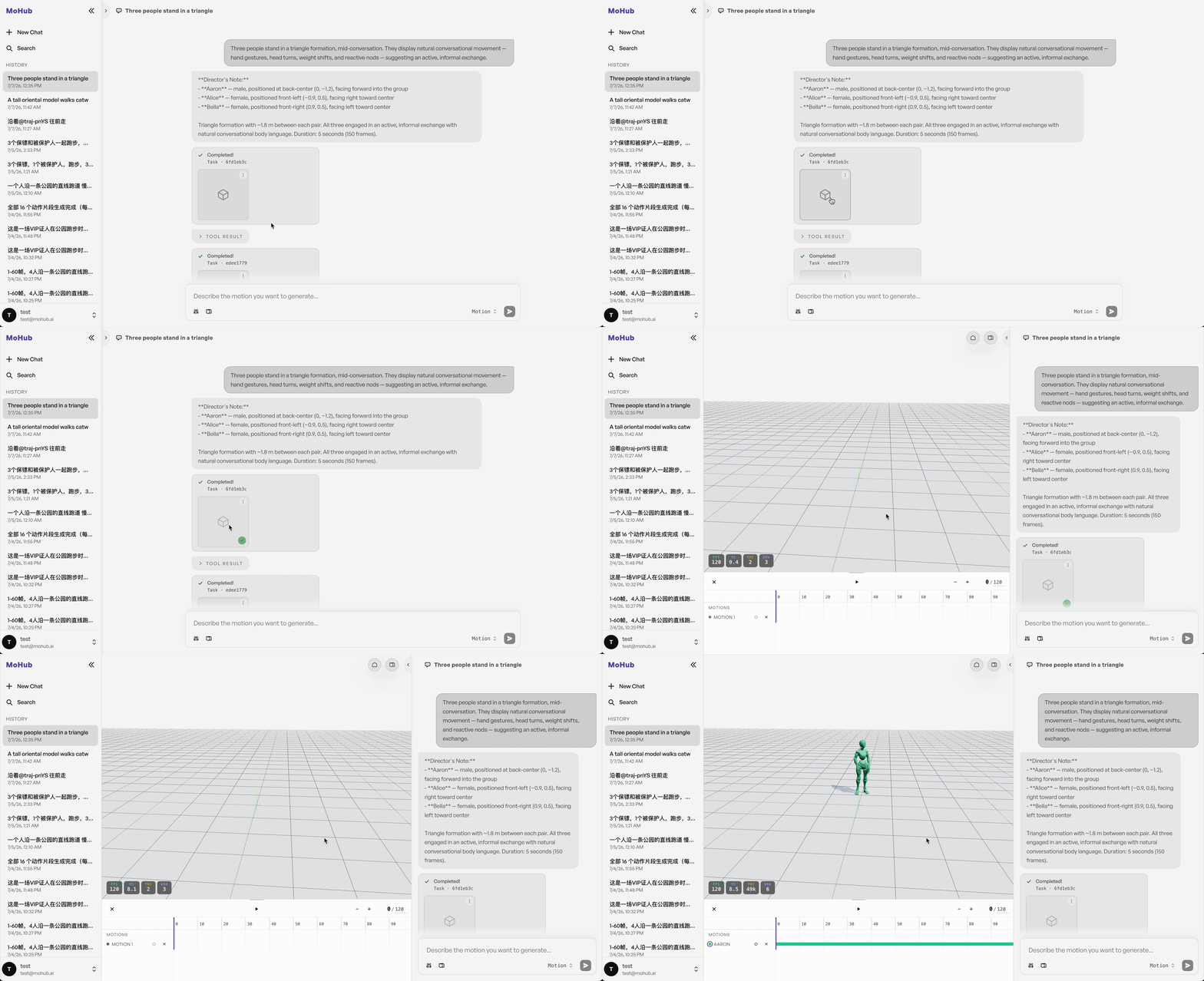
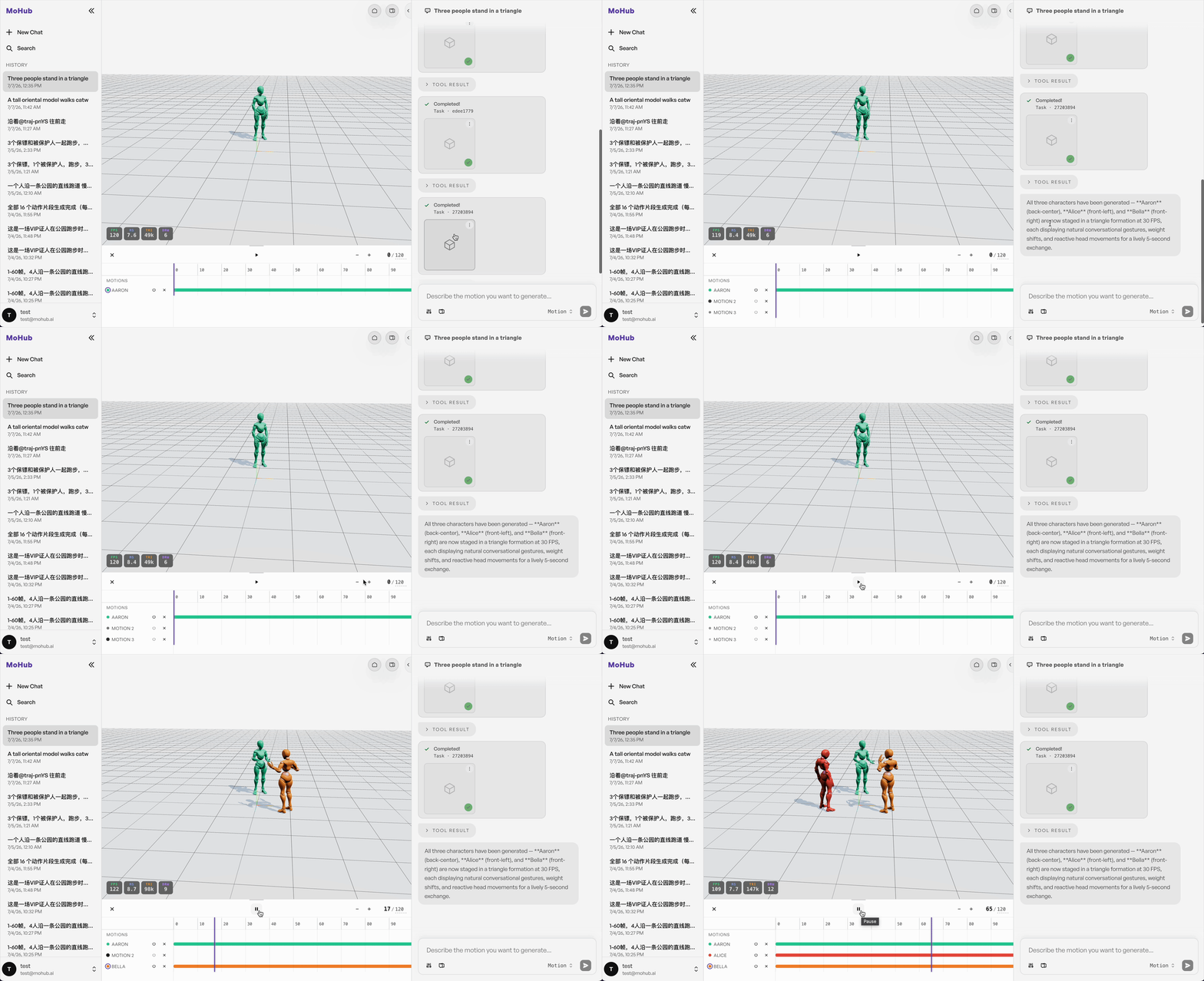
您可以同时在 3D 查看器中打开多个生成的动作,以便组合或比较不同的动作。
示例提示词
"A tall oriental model walks catwalk straight forward gracefully, reaches the end of runway, slowly rotates 180 degrees with fluttering skirt, then walks back along the runway, all body movements smooth and natural."
"Three people stand in a triangle formation, mid-conversation. They display natural conversational movement — hand gestures, head turns, weight shifts, and reactive nods — suggesting an active, informal exchange."
"A tall oriental model walks catwalk straight forward gracefully, reaches the end of runway, slowly rotates 180 degrees with fluttering skirt, then walks back along the runway, all body movements smooth and natural, slow steady camera push-in, the camera glides forward gently while keeping the full body of the model in frame the entire time."